MacBook Air M4 vs Windows Laptop for Everyday Creative Work 2026
The MacBook Air M4 wins for everyday creative work in 2026. That’s not a close call.
Battery life, thermal silence, and display quality make it the default pick for photographers, video editors, and designers who move between locations. But Windows laptops win decisively if you game, need specialized enterprise software, or want to upgrade your hardware post-purchase.
What this comparison covers:
- Battery and thermal performance — all-day work vs. plugged-in reality
- Display and output quality — color accuracy vs. contrast depth
- Ecosystem and software fit — creative workflows vs. enterprise tooling
- Pricing and upgradeability — entry cost vs. long-term flexibility
TL;DR
- Use MacBook Air M4 if: you do photo/video editing, need 12+ hour battery, or work in macOS/iOS development
- Use a Windows laptop if: you game, need specialized business software, want RAM/storage upgradeable, or have a budget under $800
- Skip the MacBook Air M4 if: you need HDMI, USB-A, or an SD card slot without a dongle
The Contenders
MacBook Air M4 (2026)
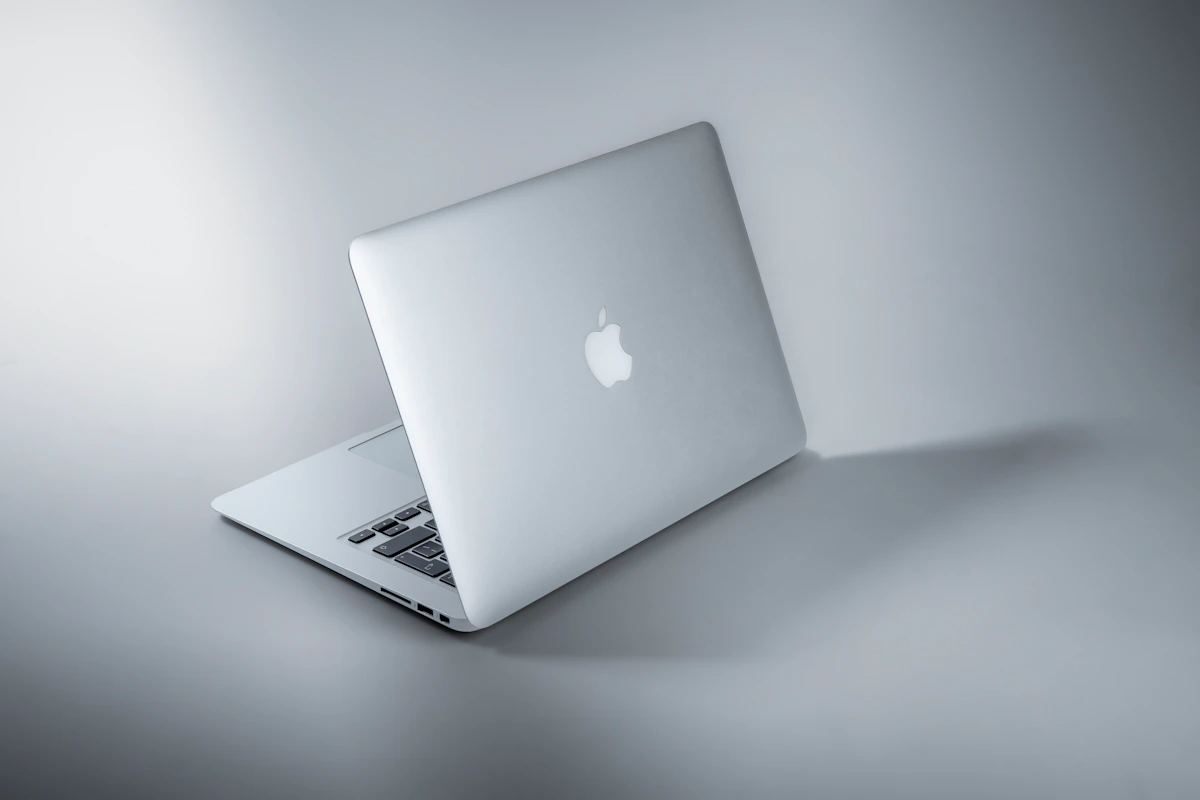
Apple’s fanless 13.6-inch and 15.3-inch ultraportable, powered by the M4 chip. According to GearChoiceLab’s 2026 review, it pairs CPU, GPU, and Neural Engine into a single unified memory architecture — 16GB base, 24GB or more for heavier workloads. Apple rates battery at up to 18 hours of video playback. No fan. No upgradeable RAM or storage. Starts around $1,099 for the 13-inch base model. The flat chassis now mirrors the MacBook Pro profile. This machine is purpose-built for creative professionals who don’t want thermal noise interrupting a client call or a recording session.
Windows Laptops (2026 Mid-to-High Tier)
Not one machine — a category. The relevant competitors include the Lenovo Yoga 9i, Dell XPS 15, and ASUS Zenbook Pro. Processor options span Intel Core Ultra, AMD Ryzen AI, and Qualcomm Snapdragon X Elite. According to Shamim Tech Review, ARM-based Windows devices are narrowing the battery gap, but the category still averages 8–10 hours in real-world mixed use. Price range runs from under $800 to well over $2,000. Many models still offer upgradeable RAM and SSD. OLED displays — like on the Lenovo Yoga 9i — deliver contrast the MacBook Air’s Liquid Retina panel can’t match.
Head-to-Head Matrix
| Dimension | MacBook Air M4 | Windows Laptop (mid-tier) | Winner |
|---|---|---|---|
| Entry price | $1,099 (13", 16GB/256GB) | ~$799–$1,200 (varies by OEM) | Windows |
| Real-world battery | 12–15 hrs mixed use | 8–10 hrs mixed use | MacBook Air M4 |
| RAM upgradeability | Not upgradeable post-purchase | Upgradeable on most models | Windows |
| Display (color accuracy) | 500 nits, P3 wide color, True Tone | Varies; OLED models beat Retina on contrast | Tie |
| Thermal noise under load | Silent (fanless) | Active cooling, fan noise at sustained load | MacBook Air M4 |
| Gaming library | Narrow macOS native support | Full Windows library, GPU options | Windows |
| iOS/macOS dev | Legal requirement for iOS builds | Not viable for iOS App Store builds | MacBook Air M4 |
| Resale value | Significantly higher | Depreciates faster | MacBook Air M4 |
Battery is the real gap. 12–15 hours of mixed real-world use versus 8–10 hours isn’t marginal — it’s the difference between working a full day at a coffee shop and hunting for a wall outlet by 2pm. According to Shamim Tech Review, ARM-based Windows devices are closing this gap, but traditional Intel and AMD ultrabooks still trail by 3–5 hours under comparable workloads.
The display row is more nuanced than it looks. The MacBook Air M4’s Liquid Retina hits P3 wide color — excellent for photo editing. But the Lenovo Yoga 9i’s OLED panel delivers deeper blacks, higher contrast ratios, and HDR performance the Retina panel can’t replicate, as GearChoiceLab notes. If video grading or HDR content creation is your primary workflow, that OLED advantage is real.
Thermal silence is underrated for creative work. The M4’s fanless design means it never spins up during a podcast edit, Zoom recording, or music production session. Windows laptops with active cooling ramp fans during sustained creative tasks. Noticeable. Annoying. The MacBook Air M4 simply doesn’t do that.
Resale value matters more than most buyers expect. According to Shamim Tech Review, MacBooks retain value significantly better due to longer software support cycles and strong used market demand. A $1,299 MacBook Air M4 purchased today will hold value in ways a comparable Windows ultrabook won’t.
Where Each One Actually Breaks
The MacBook Air M4 breaks when sustained heavy workloads push thermal limits. The fanless design is a genuine feature under normal creative use — but long 4K renders, extended code compilation, or running Docker with multiple local databases triggers thermal throttling. The chip slows itself down to manage heat it can’t actively dissipate. GearChoiceLab’s review flags this explicitly — 24GB or more RAM is recommended for Docker plus multiple IDEs plus local AI workloads. If your work involves sustained GPU-heavy 3D rendering or hours-long video exports, you’re hitting the ceiling of a fanless design. The MacBook Pro M4, with active cooling, exists precisely for this reason.
This approach can also fail when your peripheral setup is non-negotiable. No HDMI. No USB-A. No SD card slot. If you’re shooting on a card-based camera and need a clean direct import, you’re buying a dongle on day one. That’s a minor friction point for some users. For others, it’s a dealbreaker.
Windows laptops break when software ecosystem gaps appear at the worst time. macOS holds the legal monopoly on iOS development — full stop. Beyond that, Livemint’s 2026 comparison notes macOS excels for creative workflows where tool availability on Windows isn’t guaranteed. Certain audio plugins, color grading tools, and creative suite integrations behave differently or don’t exist at all on the Windows side.
Battery variance is also a real failure mode. A Windows laptop rated at “up to 12 hours” might deliver 7 under real creative loads, depending on the OEM, display settings, and processor efficiency. That gap between spec sheet and real-world use is wider on Windows than it is on Apple Silicon, and it matters when you’re deciding whether to pack a charger.
The Verdict
The MacBook Air M4 wins for everyday creative work in 2026. Battery life alone closes the argument for most creators — 12–15 hours of real use versus 8–10 hours on Windows ultrabooks is a structural advantage, not a spec sheet footnote. Add silent thermal operation, P3 color accuracy, and stronger resale value, and the case stacks up fast.
Windows laptops win on gaming, upgradeability, OLED display quality on specific models, and budget flexibility below $800. Those aren’t consolation prizes — they’re decisive advantages for the right user profile.
The practical next step: configure the MacBook Air M4 with 16GB RAM for general creative work, or 24GB if you run Docker, multiple IDEs, or local AI models. Storage tier matters less — external SSDs are cheap. Make the RAM decision right the first time. You can’t revisit it later.
The open question worth tracking: Qualcomm Snapdragon X Elite-based Windows laptops are closing the battery gap fast. By mid-2027, will ARM Windows finally match Apple Silicon efficiency well enough to turn this into a genuine coin flip — or will Apple’s vertical integration keep the gap intact? That answer will reshape this comparison entirely.
Key Takeaways
- MacBook Air M4 delivers 12–15 hours of real-world battery versus 8–10 hours on comparable Windows ultrabooks — that’s a full workday difference, not a rounding error
- The fanless design eliminates thermal noise during recording, editing, and client calls; Windows laptops with active cooling can’t match this in sustained creative sessions
- OLED Windows panels (Lenovo Yoga 9i) outperform the MacBook Air M4’s Liquid Retina on contrast and HDR — if video grading is your primary work, that matters
- MacBook Air M4 thermal throttles under sustained 4K renders or heavy Docker workloads — go to MacBook Pro M4 if that’s your daily reality
- RAM is not upgradeable post-purchase on the MacBook Air M4 — choose 24GB upfront if your workflow demands it
- Windows wins on gaming, hardware upgradeability, and entry price below $800; macOS wins on battery, resale value, iOS development, and thermal silence
References
- MacBook vs Windows Laptop: Which Should You Buy in 2026?
- MacBook Air vs Windows laptops: Which one makes more sense in 2026? | Mint
- MacBook Air M4 Review (2026): Is It Still Worth Buying? - GearChoiceLab
Photo by Maxim Hopman on Unsplash